95 votes
CMSImport
CMSImport PRO helps you import content or members from any datasource into Umbraco. The following datasources are supported by default :
- Access Database (V7 version only)
- BlogML
- CSV
- Excel File
- JSON Feed
- MySql database (V7 version only)
- RSS Feed
- SQL Server
- Umbraco(V7 version only)
- WordPress
- XML
A license can be purchased via our company website http://soetemansoftware.nl/
You can also create your own custom Data provider. Check out the workspace for screencasts to see the power of CMSImport.
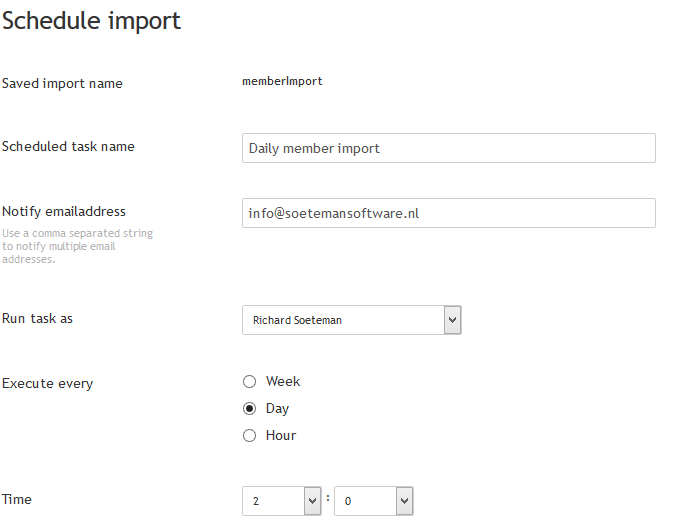
CMSImport PRO allows you to save wizard steps so you can run the import later or even schedule it for a certain date and time. When you re-run an import already existing records will be updated and only new records will be added. When media is imported references in content or member data will be updated automatically.
And best of all with CMSImport Pro it’s possible to import complete content structures also! This allows you to import a complete product catalog (Categories and Products), blogposts + comments, or any structure you want to import.
You can download the free version of CMSImport which is limited to import 500 records and limited in functionality.
Or you can purchase the commercial PRO version which can import more than 500 records, maintain parent/child structure, update content, can import content related media ,can save your import steps for later use and even schedule imports for a certain time and day.
A license file can be purchased via our company website http://soetemansoftware.nl/
Prices are:
- € 199,00 for a domain license
- € 599,00 for a server license
- € 899,00 unlimited license
CMSImport is compatible with Umbraco versions V4+. Support for older versions can be found at archived files.
Release notes:
See https://soetemansoftware.nl/cmsimport/release-notes
Screenshots



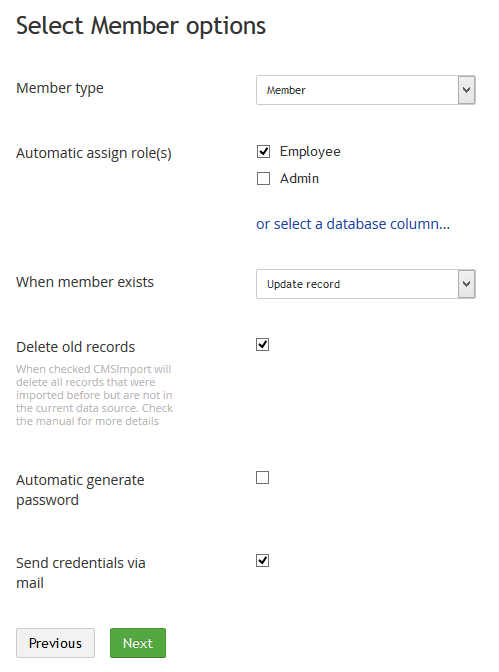
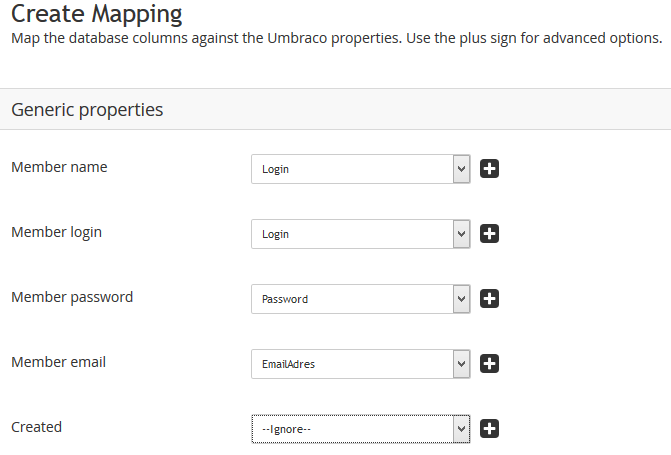
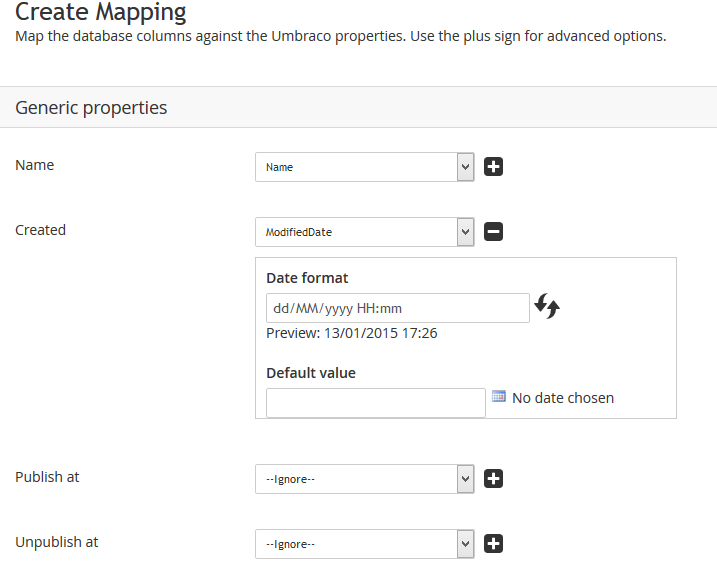
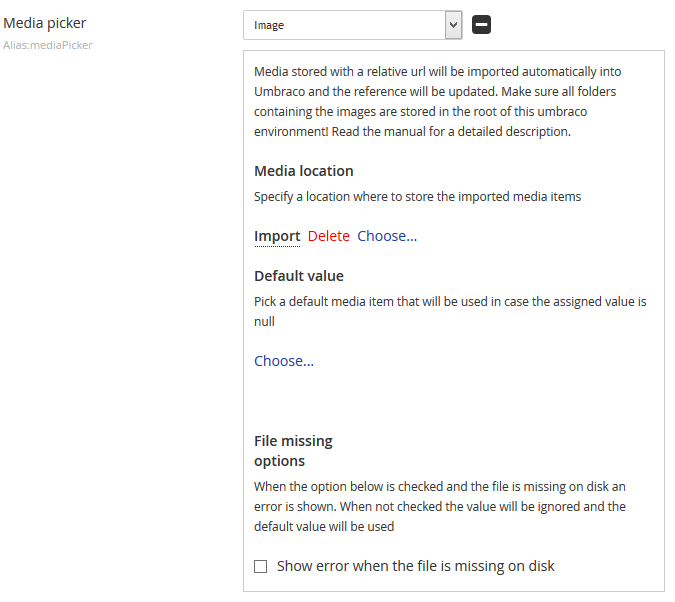
- Package Files
- Documentation
- Archived Files
Package files
-
cmsimport_4_2_1.zipuploaded 14/02/2022 by Richard Soeteman
For Umbraco: Version 8.18.x, Version 8.17.x, Version 8.16.x, Version 8.15.x, Version 8.14.x, Version 8.13.x, Version 8.12.x, Version 8.11.x, Version 8.10.x, Version 8.9.x, Version 8.8.x, Version 8.7.x, Version 8.6.x, Version 8.5.x, Version 8.4.x, Version 8.3.x, Version 8.2.x, Version 8.1.x, Version 8.0.x & .NET Version: 4.7.2 Note that the minimum version required to install this package is 8.5.0 -
cmsimport_4_2_0.zipuploaded 07/07/2021 by Richard Soeteman
For Umbraco: Version 8.16.x, Version 8.15.x, Version 8.14.x, Version 8.13.x, Version 8.12.x, Version 8.11.x, Version 8.10.x, Version 8.9.x, Version 8.8.x, Version 8.7.x, Version 8.6.x, Version 8.5.x & .NET Version: 4.7.2 Note that the minimum version required to install this package is 8.5.0 -
cmsimport_4_1_1.zipuploaded 10/03/2021 by Richard Soeteman
For Umbraco: Version 8.11.x, Version 8.10.x, Version 8.9.x, Version 8.8.x, Version 8.7.x, Version 8.6.x, Version 8.5.x & .NET Version: 4.7.2 Note that the minimum version required to install this package is 8.5.0 -
cmsimport_3_7_8.zipuploaded 16/05/2019 by Richard Soeteman
For Umbraco: Version 7.14.x, Version 7.13.x, Version 7.12.x, Version 7.11.x, Version 7.10.x, Version 7.9.x, Version 7.8.x, Version 7.7.x, Version 7.6.x, Version 7.5.x, Version 7.4.x, Version 7.3.x, Version 7.2.x, Version 7.1.x, Version 7.0.x & .NET Version: 4.5.2
Archived files
-
cmsimport_4_0_0.zipuploaded 31/08/2020 by Richard Soeteman
For Umbraco: Version 8.6.x, Version 8.5.x & .NET Version: 4.7.2 -
CMSImport.UmbracoDataProvider.zipuploaded 22/06/2017 by Richard Soeteman
For Umbraco: & .NET Version: 4.5.2 -
cmsimport_4_1_0.zipuploaded 04/03/2021 by Richard Soeteman
For Umbraco: Version 8.11.x, Version 8.10.x, Version 8.9.x, Version 8.8.x, Version 8.7.x, Version 8.6.x, Version 8.5.x & .NET Version: 4.7.2 -
cmsimport_3_7_4.zipuploaded 15/02/2018 by Richard Soeteman
For Umbraco: Version 7.8.x, Version 7.7.x, Version 7.6.x, Version 7.5.x, Version 7.4.x, Version 7.3.x, Version 7.2.x, Version 7.1.x, Version 7.0.x & .NET Version: 4.5 -
CMSImport.UmbracoDataProvider.zipuploaded 15/02/2018 by Richard Soeteman
For Umbraco: Version 7.8.x, Version 7.7.x, Version 7.6.x, Version 7.5.x, Version 7.4.x, Version 7.3.x, Version 7.2.x, Version 7.1.x, Version 7.0.x & .NET Version: 4.5 -
cmsimport_3_7_3.zipuploaded 30/10/2017 by Richard Soeteman
For Umbraco: Version 7.7.x, Version 7.6.x, Version 7.5.x, Version 7.4.x, Version 7.3.x, Version 7.2.x, Version 7.1.x, Version 7.0.x & .NET Version: 4.0 -
cmsimport_3_7_1.zipuploaded 29/05/2017 by Richard Soeteman
For Umbraco: Version 7.6.x, Version 7.5.x, Version 7.4.x, Version 7.3.x, Version 7.2.x, Version 7.1.x, Version 7.0.x & .NET Version: 4.5 -
CMSImport.ImportProviders.Merchello.zipuploaded 29/05/2017 by Richard Soeteman
For Umbraco: Version 7.6.x, Version 7.5.x, Version 7.4.x, Version 7.3.x, Version 7.1.x, Version 7.0.x & .NET Version: 4.5 -
CMSImport.ImportProviders.MemberserviceImportProvider.zipuploaded 22/06/2017 by Richard Soeteman
For Umbraco: Version 7.6.x, Version 7.5.x & .NET Version: 4.5.2 -
cmsimport_3_7_2.zipuploaded 22/06/2017 by Richard Soeteman
For Umbraco: Version 7.6.x, Version 7.5.x, Version 7.4.x, Version 7.3.x, Version 7.2.x, Version 7.1.x, Version 7.0.x & .NET Version: 4.5.2 -
cmsimport_3_6.zipuploaded 13/12/2016 by Richard Soeteman
For Umbraco: Version 7.5.x, Version 7.4.x, Version 7.3.x, Version 7.2.x, Version 7.1.x, Version 7.0.x & .NET Version: nan -
cmsimport_3_7.zipuploaded 11/04/2017 by Richard Soeteman
For Umbraco: Version 7.5.x, Version 7.4.x, Version 7.3.x, Version 7.2.x, Version 7.1.x, Version 7.0.x & .NET Version: 4.5 -
CMSImport.ImportProviders.Merchello.zipuploaded 11/04/2017 by Richard Soeteman
For Umbraco: Version 7.5.x, Version 7.4.x, Version 7.3.x, Version 7.2.x, Version 7.1.x & .NET Version: 4.5 -
CMSImport.UmbracoDataProvider.zipuploaded 11/04/2017 by Richard Soeteman
For Umbraco: Version 7.5.x, Version 7.4.x, Version 7.3.x, Version 7.2.x, Version 7.1.x, Version 7.0.x & .NET Version: 4.5 -
CMSImport.ImportProviders.MemberserviceImportProvider.zipuploaded 11/04/2017 by Richard Soeteman
For Umbraco: Version 7.5.x & .NET Version: 4.5 -
cmsimport_3_5_1.zipuploaded 19/04/2016 by Richard Soeteman
For Umbraco: Version 7.4.x, Version 7.3.x, Version 7.2.x, Version 7.1.x, Version 7.0.x & .NET Version: nan -
cmsimport_3_5_2.zipuploaded 13/06/2016 by Richard Soeteman
For Umbraco: Version 7.4.x, Version 7.3.x, Version 7.2.x, Version 7.1.x, Version 7.0.x & .NET Version: nan -
CMSImport.UmbracoDataProvider.zipuploaded 13/06/2016 by Richard Soeteman
For Umbraco: Version 7.4.x, Version 7.3.x, Version 7.2.x, Version 7.1.x, Version 7.0.x & .NET Version: nan -
CMSImport.DataProviders.JSON.zipuploaded 13/06/2016 by Richard Soeteman
For Umbraco: Version 7.4.x, Version 7.3.x, Version 7.2.x, Version 7.1.x, Version 7.0.x & .NET Version: nan -
cmsimport_3_5_3.zipuploaded 30/06/2016 by Richard Soeteman
For Umbraco: Version 7.4.x, Version 7.3.x, Version 7.2.x, Version 7.1.x, Version 7.0.x & .NET Version: nan -
CMSImport 3.2.zipuploaded 01/10/2015 by Richard Soeteman
For Umbraco: Version 7.3.x, Version 7.2.x, Version 7.1.x, Version 7.0.x & .NET Version: nan -
CMSImport.TeaCommerce.zipuploaded 01/10/2015 by Richard Soeteman
For Umbraco: Version 7.3.x, Version 7.2.x, Version 7.1.x, Version 7.0.x & .NET Version: nan -
CMSImport.UWebshop.zipuploaded 01/10/2015 by Richard Soeteman
For Umbraco: Version 7.3.x, Version 7.2.x, Version 7.1.x, Version 7.0.x & .NET Version: nan -
CMSImport 3.3.zipuploaded 12/11/2015 by Richard Soeteman
For Umbraco: Version 7.3.x, Version 7.2.x, Version 7.1.x, Version 7.0.x & .NET Version: nan -
CMSImport.DataProviders.BlogML.zipuploaded 12/11/2015 by Richard Soeteman
For Umbraco: Version 7.3.x, Version 7.2.x, Version 7.1.x, Version 7.0.x & .NET Version: nan -
CMSImport.DataProviders.RSS.zipuploaded 12/11/2015 by Richard Soeteman
For Umbraco: Version 7.3.x, Version 7.2.x, Version 7.1.x, Version 7.0.x & .NET Version: nan -
CMSImport 3.3.1.zipuploaded 07/01/2016 by Richard Soeteman
For Umbraco: Version 7.3.x, Version 7.2.x, Version 7.1.x, Version 7.0.x & .NET Version: nan -
CMSImport.DataProviders.Wordpress.zipuploaded 15/01/2016 by Richard Soeteman
For Umbraco: Version 7.3.x, Version 7.2.x, Version 7.1.x, Version 7.0.x & .NET Version: nan -
cmsimport_3_4.zipuploaded 03/02/2016 by Richard Soeteman
For Umbraco: Version 7.3.x, Version 7.2.x, Version 7.1.x, Version 7.0.x & .NET Version: nan -
CMSImport.FieldProviders.NuPicker.zipuploaded 03/02/2016 by Richard Soeteman
For Umbraco: Version 7.3.x, Version 7.2.x, Version 7.1.x, Version 7.0.x & .NET Version: nan -
CMSImport 3.0.zipuploaded 27/01/2015 by Richard Soeteman
For Umbraco: Version 7.2.x, Version 7.1.x, Version 7.0.x & .NET Version: 4.0 -
CMSImport 3.0.1.zipuploaded 11/02/2015 by Richard Soeteman
For Umbraco: Version 7.2.x, Version 7.1.x, Version 7.0.x & .NET Version: 4.0 -
CMSImport 3.1.1.zipuploaded 16/03/2015 by Richard Soeteman
For Umbraco: Version 7.2.x, Version 7.1.x, Version 7.0.x & .NET Version: 4.0 -
CMSImport 3.1.2.zipuploaded 26/08/2015 by Richard Soeteman
For Umbraco: Version 7.2.x, Version 7.1.x, Version 7.0.x & .NET Version: nan -
CMSImport.UmbracoDataProvider.zipuploaded 16/05/2019 by Richard Soeteman
For Umbraco: Version 7.14.x, Version 7.13.x, Version 7.12.x, Version 7.11.x, Version 7.10.x, Version 7.9.x, Version 7.8.x, Version 7.7.x, Version 7.6.x, Version 7.5.x, Version 7.4.x, Version 7.3.x, Version 7.2.x, Version 7.1.x, Version 7.0.x & .NET Version: 4.5.2 -
CMSImport.DataProviders.Wordpress.zipuploaded 16/05/2019 by Richard Soeteman
For Umbraco: Version 7.14.x, Version 7.13.x, Version 7.12.x, Version 7.11.x, Version 7.10.x, Version 7.9.x, Version 7.8.x, Version 7.7.x, Version 7.6.x, Version 7.5.x, Version 7.4.x, Version 7.3.x, Version 7.2.x, Version 7.1.x, Version 7.0.x & .NET Version: 4.5.2 -
CMSImport.ImportProviders.MemberserviceImportProvider.zipuploaded 16/05/2019 by Richard Soeteman
For Umbraco: Version 7.14.x, Version 7.13.x, Version 7.12.x, Version 7.11.x, Version 7.10.x, Version 7.9.x, Version 7.8.x, Version 7.7.x & .NET Version: 4.5.2 -
cmsimport_3_7_6.zipuploaded 20/11/2018 by Richard Soeteman
For Umbraco: Version 7.12.x, Version 7.11.x, Version 7.10.x, Version 7.9.x, Version 7.8.x, Version 7.7.x, Version 7.6.x, Version 7.5.x, Version 7.4.x, Version 7.3.x, Version 7.2.x, Version 7.1.x, Version 7.0.x & .NET Version: 4.5.2 -
CMSImport.UmbracoDataProvider.zipuploaded 20/11/2018 by Richard Soeteman
For Umbraco: Version 7.12.x, Version 7.11.x, Version 7.10.x, Version 7.9.x, Version 7.8.x, Version 7.7.x, Version 7.6.x, Version 7.5.x, Version 7.4.x, Version 7.3.x, Version 7.2.x, Version 7.1.x, Version 7.0.x & .NET Version: 4.5.2 -
cmsimport_3_7_7.zipuploaded 14/01/2019 by Richard Soeteman
For Umbraco: Version 7.12.x, Version 7.11.x, Version 7.10.x, Version 7.9.x, Version 7.8.x, Version 7.7.x, Version 7.6.x, Version 7.5.x, Version 7.4.x, Version 7.3.x, Version 7.2.x, Version 7.1.x, Version 7.0.x & .NET Version: 4.5.2 -
CMSImport.DataProviders.JSON.zipuploaded 14/01/2019 by Richard Soeteman
For Umbraco: Version 7.12.x, Version 7.11.x, Version 7.10.x, Version 7.9.x, Version 7.8.x, Version 7.7.x, Version 7.6.x, Version 7.5.x & .NET Version: 4.5.2 -
cmsimport_3_7_5.zipuploaded 04/06/2018 by Richard Soeteman
For Umbraco: Version 7.10.x, Version 7.9.x, Version 7.8.x, Version 7.7.x, Version 7.6.x, Version 7.5.x, Version 7.4.x, Version 7.3.x, Version 7.2.x, Version 7.1.x, Version 7.0.x & .NET Version: 4.5 -
CMSImport.ImportProviders.Merchello.zipuploaded 04/06/2018 by Richard Soeteman
For Umbraco: Version 7.10.x, Version 7.9.x, Version 7.8.x, Version 7.7.x, Version 7.6.x, Version 7.5.x, Version 7.4.x, Version 7.3.x & .NET Version: 4.5 -
CMSImport 1.2.zipuploaded 07/01/2011 by Richard Soeteman
For Umbraco: Version 7.1.x, Version 7.0.x & .NET Version: 4.0 -
CMSImport 2.0.zipuploaded 20/06/2011 by Richard Soeteman
For Umbraco: Version 7.1.x, Version 7.0.x & .NET Version: 3.5 -
CMSImport 2.0.1.zipuploaded 04/08/2011 by Richard Soeteman
For Umbraco: Version 7.1.x, Version 7.0.x & .NET Version: 3.5 -
CMSImport 2.1.zipuploaded 11/10/2011 by Richard Soeteman
For Umbraco: Version 7.1.x, Version 7.0.x & .NET Version: 3.5 -
CMSImport 2.1.1.zipuploaded 08/11/2011 by Richard Soeteman
For Umbraco: Version 7.1.x, Version 7.0.x & .NET Version: 3.5 -
CMSImport 2.2.zipuploaded 11/05/2012 by Richard Soeteman
For Umbraco: Version 7.1.x, Version 7.0.x & .NET Version: 3.5 -
CMSImport 2.2.1.zipuploaded 16/07/2012 by Richard Soeteman
For Umbraco: Version 7.1.x, Version 7.0.x & .NET Version: 3.5 -
CMSImport 2.3.zipuploaded 19/12/2012 by Richard Soeteman
For Umbraco: Version 7.1.x, Version 7.0.x & .NET Version: 4.0 -
CMSImport 2.3.1.zipuploaded 28/01/2013 by Richard Soeteman
For Umbraco: Version 7.1.x, Version 7.0.x & .NET Version: 3.5 -
CMSImport 2.3.2.zipuploaded 05/04/2013 by Richard Soeteman
For Umbraco: Version 7.1.x, Version 7.0.x & .NET Version: 3.5 -
CMSImport 2.3.3.zipuploaded 22/04/2013 by Richard Soeteman
For Umbraco: Version 7.1.x, Version 7.0.x & .NET Version: 3.5 -
CMSImport 2.4.zipuploaded 21/08/2013 by Richard Soeteman
For Umbraco: Version 7.1.x, Version 7.0.x & .NET Version: 4.0 -
CMSImport 2.5.zipuploaded 05/12/2013 by Richard Soeteman
For Umbraco: Version 7.1.x, Version 7.0.x & .NET Version: 4.0 -
CMSImport 2.5.1.zipuploaded 04/03/2014 by Richard Soeteman
For Umbraco: Version 7.1.x, Version 7.0.x & .NET Version: 4.0 -
CMSImport 2.5.2.zipuploaded 22/05/2014 by Richard Soeteman
For Umbraco: Version 7.1.x, Version 7.0.x & .NET Version: 4.0 -
CMSImport 2.5.3.zipuploaded 29/10/2014 by Richard Soeteman
For Umbraco: Version 7.1.x, Version 7.0.x & .NET Version: 4.0
Source code
Forums
Using CMSImport
Use this forum to get general help.
Configuration
Use this forum if you have issues with the configuration
Using the API
Use this forum for help using the API (Event system and custom DataAdapters)
Feature Request
Use this forum for your feature requests or ideas
Bugs
Use this forum to report your bugs.
Download package
version 10.0
version 10.0
NuGet install instructions for Umbraco 7.0.0-9+
Install-Package CMSImportNuGet install instructions for Umbraco 9+
dotnet add package CMSImportPackage owner

Package Compatibility
This package is compatible with the following versions as reported by community members who have downloaded this package:
Untested or doesn't work on Umbraco Cloud
Version 8.18.x (100%)
You must login before you can report on package compatibility.
Previously reported to work on versions: 8.17.x, 8.16.x, 8.15.x, 8.14.x, 8.13.x, 8.12.x, 8.11.x, 8.10.x, 8.9.x, 8.8.x, 8.7.x, 8.6.x, 8.5.x, 8.4.x, 8.3.x, 8.2.x, 8.1.x, 8.0.x, 7.15.x, 7.13.x, 7.12.x, 7.11.x, 7.10.x, 7.9.x, 7.8.x, 7.7.x, 7.6.x, 7.5.x, 7.4.x, 7.3.x, 7.2.x, 7.1.x, 7.0.x
Package Information
- Package owner: Richard Soeteman
- Created: 28/06/2009
- Current version 10.0
- .NET version 4.5.2,4.7.2
- License CMSImport (PRO) License Agreement
- Downloads on Our: 53.6K
- Downloads on NuGet: 212.4K
- Total downloads : 266K