18 votes
Dictionary Translator for Umbraco
Introduction
This package is to be used with the ASP.NET open source CMS Umbraco, which extends the umbraco admin user interface to allow you to translate a dictionary item into different languages with a simple click of a button using the Microsoft Translation WebService
Requirements
Before installing the package you will need to ensure that your Umbraco installation meets the following minimum requirements:
- Run version Umbraco 4.0.3
- Running ASP.NET 3.5 due to using Service Reference
- An AppID key from Microsoft to use the Microsoft Translation API - http://www.bing.com/developers/appids.aspx
Installation
To install the package follow these simple steps:
- Login to Umbraco
- Browse to the Developer Section
- Expand Packages folder
- Click on Install local package
- Browse to the Dictionary Translator zip/package
- Check the box for I understand the security risks
- Press Load package
- Read the read me and accpet the license and press the install package
- Enter your AppID key from Microsoft in the textbox and press Save (You can obtain an AppID from Microsoft here - http://www.bing.com/developers/appids.aspx)
- You have now sucessfully installed the Dictionary Translator for Umbraco package
The web.config gets modified to add the Microsoft Translation webservice automatically when you install the package.
What files are installed/added
The following files are added to your Umbraco installation:
- /bin/DictionaryTranslate.dll
- /bin/DictionaryTranslate.dll.config
- /bin/DictionaryTranslate.pdb
- /bin/DictionaryTranslate.Installer.dll
- /bin/DictionaryTranslate.Installer.pdb
- /umbraco/images/editor/translate.gif
- /config/cws_dictionaryTranslate.config
- /usercontrols/DictionaryTranslator/Installer.ascx
- /usercontrols/DictionaryTranslator/Installer.ascx
How to use
To use the Dictionary Translator follow these steps:
- Open an existing dictionary item up in Umbraco, you will see a new button to the right of the save button this is the new translate button
- Fill in one of the language boxes and press the translate button and this will automatically fill in the other languages with their translations
- Review the translations and if you are happy with them press Save
Uninstallation
To uninstall this package follow these steps:
- Login to Umbraco
- Browse to the Developer Section
- Expand Packages folder
- Expand Installed Packages
- Click on Dictionary Translator
- Click on Uninstall package
- Make sure all checkboxes are ticked for all the files
- Then press Confirm Uninstall
- You have now sucessfully uninstalled the Dictionary Translator for Umbraco package
The web.config that was modified with the <system.serviceModel> changes will be removed automatically
Video
Watch a video of this in action and use the service below you prefer:
http://vimeo.com/9854638
http://www.youtube.com/watch?v=Wbo0x81TqJQ
Umbraco 4.1 uninstall issue
In Umbraco 4.1RC version 1.2 of the Dictionary Translator will not fully uninstall, so unfortunately you will need to remove the <system.serviceModel> section from your web.config file manually
Screenshots
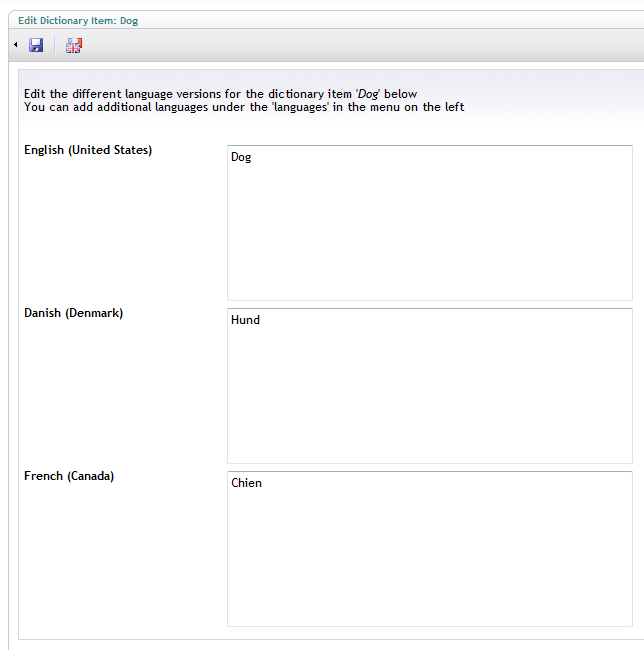

- Package Files
- Documentation
- Archived Files
Package files
Archived files
Documentation
Source code

Package Compatibility
This package is compatible with the following versions as reported by community members who have downloaded this package:
Untested or doesn't work on Umbraco Cloud
Version 8.18.x (untested)
You must login before you can report on package compatibility.
Previously reported to work on versions:
Package Information
- Package owner: Warren Buckley
- Created: 02/03/2010
- Current version 1.2
- License MIT
- Downloads on Our: 3.2K