7 votes
bing Maps for Umbraco
This package allows you to integrate Microsoft™ bing Maps into your Umbraco implementations. In order to use this package you will need to register for an API key with Microsoft at https://www.bingmapsportal.com/.
Installation requires write access to the /bin and /umbraco folders.
Two macros are provided for inserting maps within your content based on the level of functionality and display configuration needed within the map.
-----------------------------------------------------------------------------------------------------------------
Please remember to vote for this project!
-----------------------------------------------------------------------------------------------------------------
Bing Map (Basic)
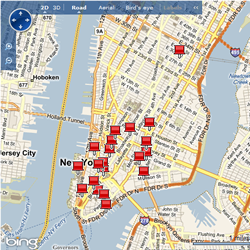
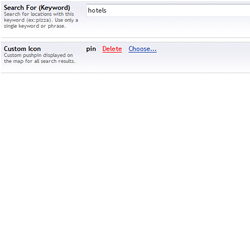
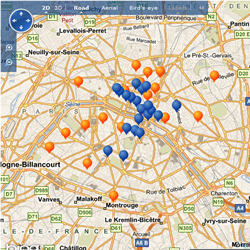
This macro provides the ability to display a map location and surrounding businesses with a specified keyword. A marker will be displayed for each location returned from the search.
Bing Map (Advanced)
This macro provides the ability to display multiple location searches and targeted points within a single map. A single parameter is required which allows you to select a content node containing the map definition information.
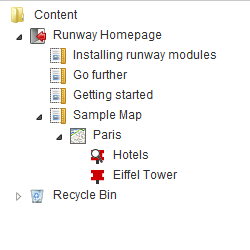
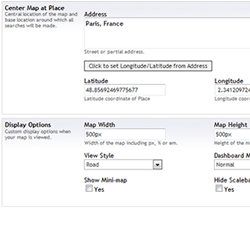
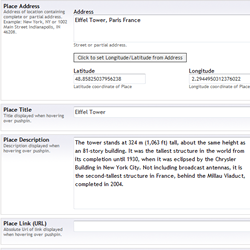
The map, place and search information are stored in content nodes of type bing Map, bing Map Place and bing Map Search. The bing Map nodes store display information for the map, while the bing Map Place and Search, child nodes of the bing map, store location information or search keywords for the pushpins.
The map definition nodes do not display as content pages and are not intended to be viewed directly. The macro references the selected node specified in the parameters for information about the map and the places to display.
You will need to define your bing Map node prior to inserting the macro onto one of your existing content nodes. By default you can create bing Map nodes at the root of your website. To store your bing Map nodes under the page where you are displaying the macro, you will need to check the 'bing Map' document type from the structure tab of your own document type.
Each map is self contained and therefore you can insert multiple maps (Advanced or Basic) within a single RichTextEditor or template.
Notes:
When using the search capabilities of this package, please be aware that Microsoft's search results for certain locations do not always return results for even common words.
Future Enhancements:
- Culture/Language specific results
- Layering including Hide and Show
- Displaying location results (in text format) next to the map
- Paging of location results
- Unit (store) locator
Any feedback on improving existing features or new features are greatly appreciated.
Related Links:
- Register for API Key: https://www.bingmapsportal.com/.
- Microsoft TOS: http://www.microsoft.com/maps/product/terms.html
- bing™ Maps Package License
Screenshots
- Package Files
- Documentation
- Archived Files
Package files
Archived files
Documentation
Source code
Package owner

Package Compatibility
This package is compatible with the following versions as reported by community members who have downloaded this package:
Untested or doesn't work on Umbraco Cloud
Version 8.18.x (untested)
You must login before you can report on package compatibility.
Previously reported to work on versions:
Package Information
- Package owner: Chris Dunn
- Created: 06/04/2010
- Current version 0.5.1
- License Cidean
- Downloads on Our: 1.5K